What Breaks First When Online Data Science Teams Switch Tools
When data science teams switch tools, human workflows break first, not technology. Discover how to avoid scope creep, delivery gaps, and context loss.
Moving to a new software platform can feel like a fresh start for engineering and analytics teams. Leaders may expect smoother processes, more automated reporting, and lower operating costs once the migration is complete. During the transition, however, operational friction can slow work before those benefits materialize.
In a distributed workspace, the first problems are not necessarily failures of the underlying technology. Gaps in operational visibility, undocumented handoffs, and inconsistent work practices can create friction even when the core systems remain stable.
Loss of context in asynchronous communication
Analytics teams working on complex models depend on shared context about assumptions, decisions, edge cases, and prior experiments. When teams switch workspace applications, that information can remain in legacy tools unless it is deliberately migrated or documented. Research on distributed software development has identified communication, documentation, and knowledge-sharing difficulties as recurring challenges for geographically dispersed teams.
The result is a loss of working context. Developers may spend additional time reconstructing previous decisions or locating discussions spread across messaging channels, repositories, and documentation systems. Frequent context switching can also reduce developer productivity, although its effect varies with the type and frequency of switching.
Research on distributed handoffs
Research on distributed software development has identified missing, poor, or outdated documentation as a recurring knowledge-sharing challenge. One study also identified difficulty retrieving knowledge preserved mainly in chat conversations as a specific problem for distributed teams.
To keep this social and practical conflict to a minimum, engineering managers need to protect institutional memory:
- Standardize status updates on centralized task boards to ensure that all work items remain visible to stakeholders across departments without requiring manual follow-up.
- During migrations, establish a defined cadence for reviewing communication channels and moving durable decisions into the system of record, rather than leaving them scattered across messaging threads.
- Set clear goals for project completion so that developers working from afar can compare project progress against a single set of standards rather than their own assumptions.
Loss of cross-functional progress tracking
A loss of operational clarity across departments can make migrations harder to manage. Stakeholders in business operations, finance, product management, and engineering may lose a shared view of deployment status when workflows are divided between old and new systems.
Dashboards and status feeds that previously provided passive visibility can become fragmented during a migration, increasing the need to move among tools and information sources. Research on software developers has found that frequent project-level context switching can be associated with lower productivity. Clear tracking practices can help leaders maintain visibility without relying on repeated manual status requests.
Restoring executive alignment
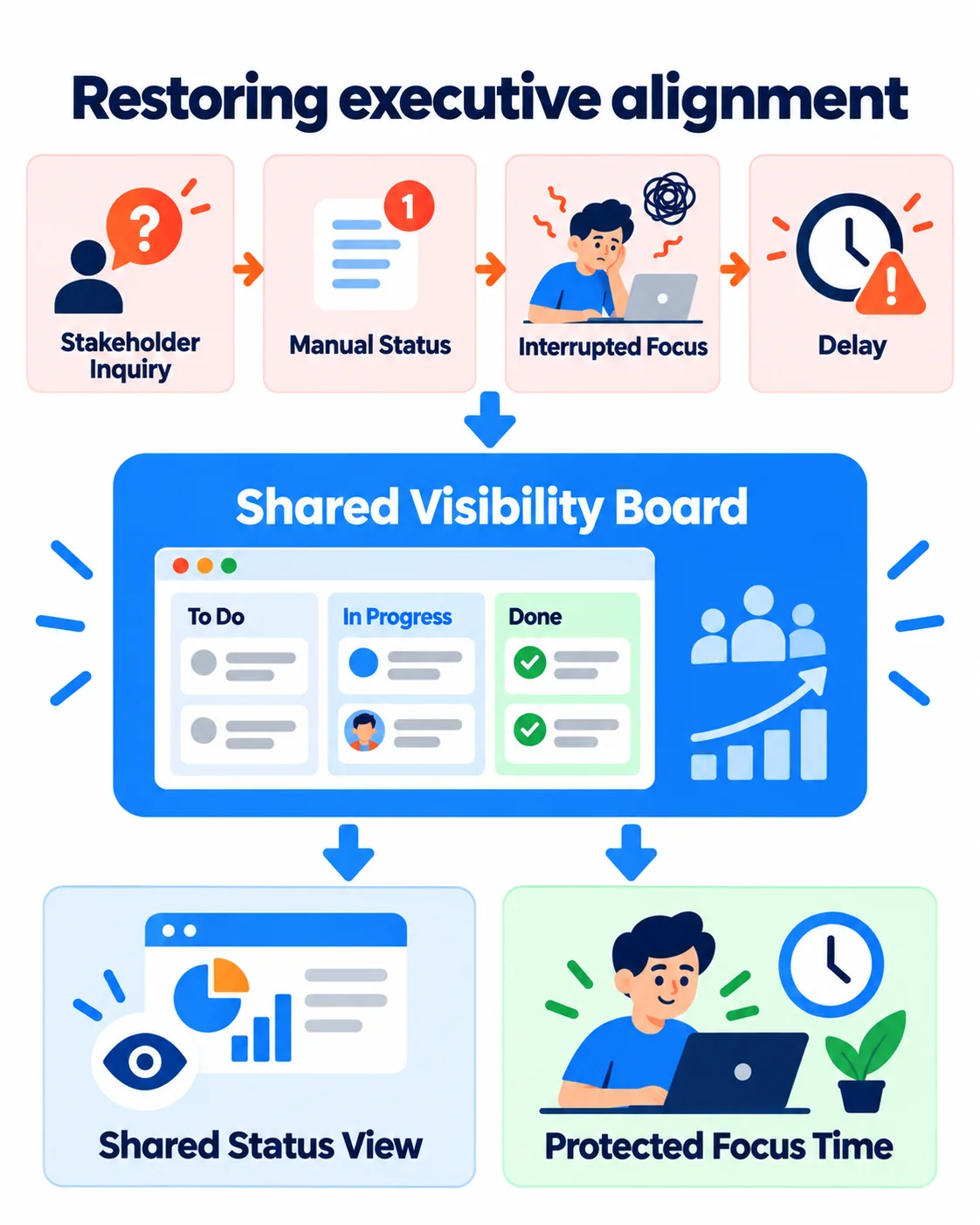
- Before moving current projects to the new system, you should map out your custom workflows to ensure that task stages align with how the team actually works.
- Automate progress updates for stakeholders who aren’t technical, so engineers don’t have to write daily summaries by hand.
- Use standard progress dashboards for regular reviews across departments to ensure that technical capabilities meet business needs.
Disrupted capacity planning and resource allocation
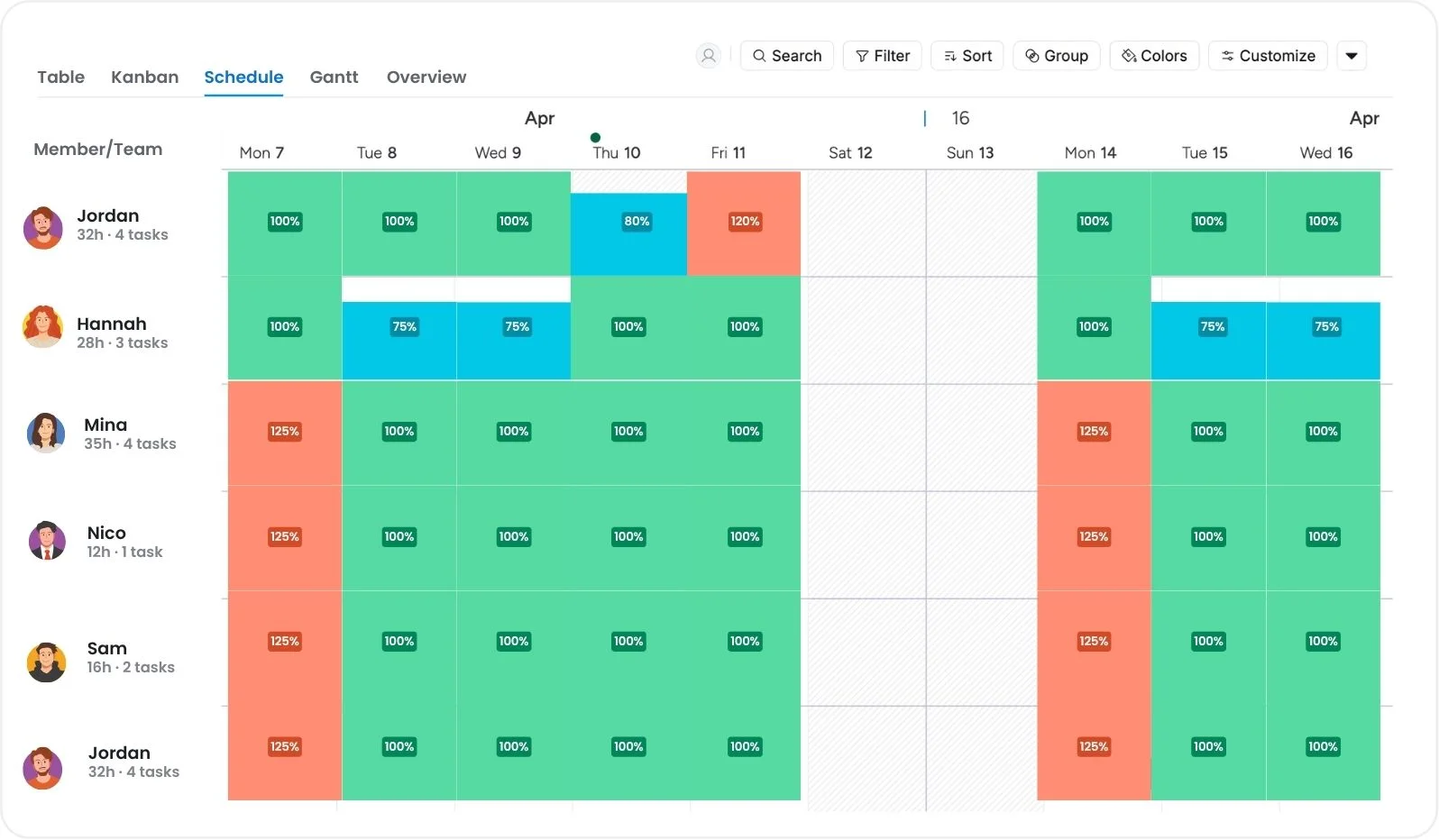
During a platform migration, managers may need to re-baseline team capacity, costs, and staff effort. Historical velocity can still inform planning, but it may become less representative when training, migration work, or other temporary demands change the team’s workload. Velocity is a forecasting aid, not a measure of team performance or a fixed prediction of future output.
Using structured workload planning can help managers identify competing commitments and capacity constraints. Teams transitioning between platforms can use resource management practices to compare assignments with available capacity, while recognizing that forecasts remain estimates rather than guarantees.
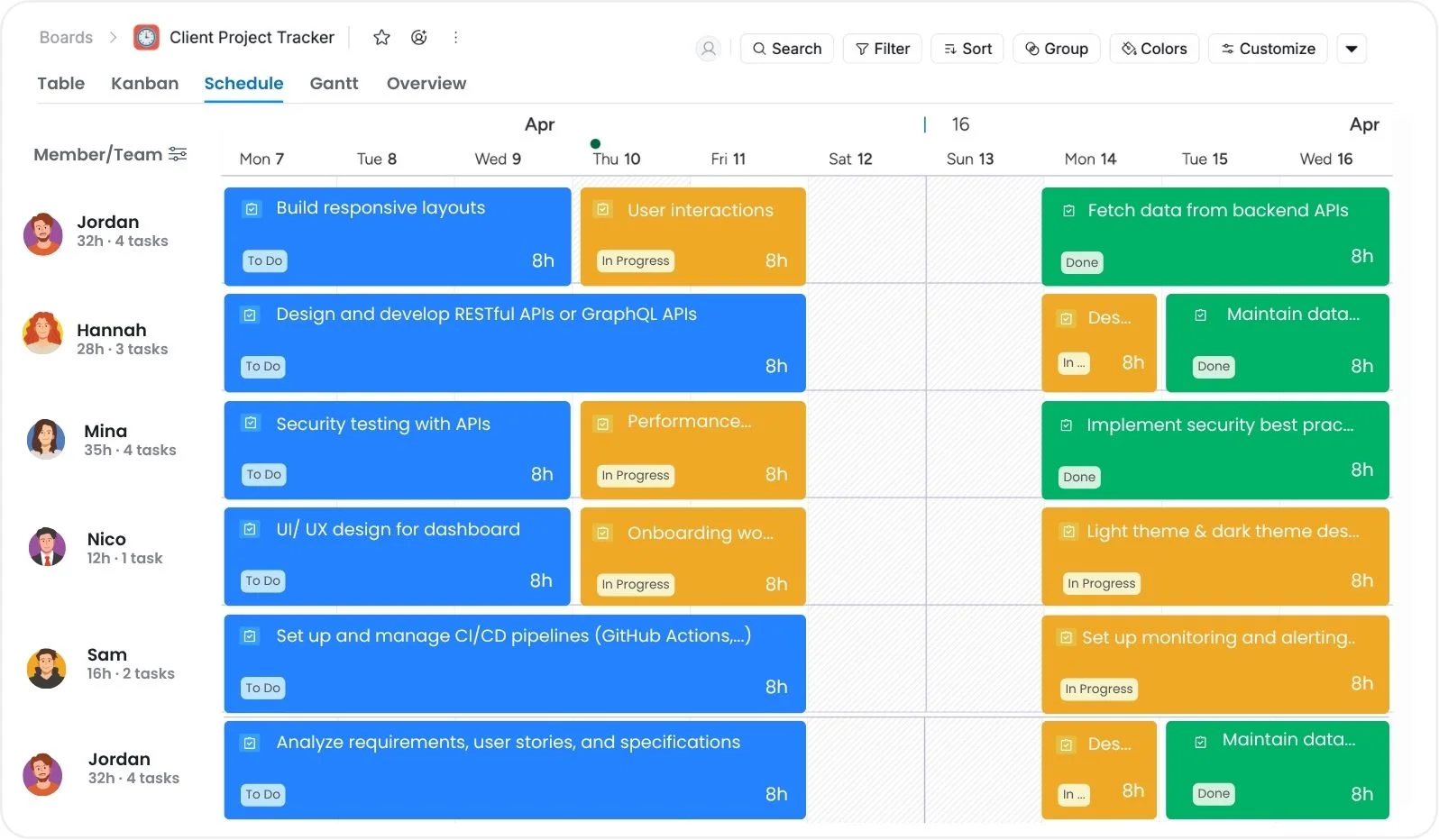
Balancing workloads across transition phases
- Check the current workloads before the system migration to get a clear sense of active project commitments.
- Track actual effort during the migration and use several completed iterations, where available, to establish a new planning baseline. There is no verified universal rule that two sprints are sufficient to produce an accurate velocity benchmark.
- Reserve contingency capacity for training, troubleshooting, and migration work based on the team’s observed needs.
Operational gaps in engineering workflows
When teams move from one provider or collaboration environment to another, documentation and operational knowledge can become difficult to retrieve if legacy material is not deliberately transferred or linked. Distributed-software research has documented problems involving missing, outdated, or scattered documentation, although this does not mean that documentation “rarely” migrates successfully in every tool change.
Important setup scripts, data-pipeline specifications, troubleshooting guides, and decision records should therefore be included in the migration plan rather than left solely in legacy archives.
Technical teams need explicit governance and knowledge-retention practices during a migration. To keep academic and operational standards high, technical talent needs to work within structured frameworks. Quantitative leaders often improve their strategic thinking by going to college. They use tools like Research.com comparison of online data science master’s programs to create strong governance models that work across technical departments.
Knowledge retention frameworks
- Before ending support for legacy software platforms, create central documentation hubs that connect legacy references to new environment settings.
- Use scheduled knowledge-transfer or onboarding sessions when they are useful, particularly for newly deployed repository architectures, database schemas, or operational procedures. A weekly cadence is an editorial choice, not a verified universal standard.
- Set up standardized tag systems across repositories to make it easier to find documents and prevent functional teams that are spread out from duplicating work.
Pipeline governance and database synchronization failures
Maintaining consistent schemas and datasets across source and target systems is an important concern during data-platform migrations. Schema drift specifically refers to changes in source metadata—such as added, removed, renamed, or retyped fields—and is not simply another name for moving from one analytics suite to another. Unhandled schema changes can cause ETL processes or downstream consumers to fail.
Database migrations should include explicit schema planning and validation. Engineering leads can use a centralized project management database or change log to track migration tasks, owners, configuration decisions, and environment changes, but a project-management database by itself does not protect the integrity of production data. Source-to-target validation and controlled migration procedures are still required.
To prevent the system from breaking down, schemas must be carefully migrated to a unified database environment. Engineering leads should set up a secure project management database to track pipeline changes, store environment settings, and protect data integrity across functional units.
Raw Schemas → Migration Protocol → Unified Database → Validated Analytics
Technical governance principles
- Lock baseline configurations: Use an appropriate change-control or freeze window before a high-risk cutover when the migration plan requires one.
- Automate schema and data validation tests: Before the switch, validate relevant source and target data, schemas, and application behavior. AWS and Microsoft migration guidance explicitly recommend source-to-target validation.
- Isolate staging environments: Use a separate test environment containing appropriate source and target copies where feasible. Microsoft migration guidance specifically recommends isolating the migration test environment.
Prioritization breakdown and scope creep
When teams move between management tools that use different fields, formulas, or scoring conventions, priorities can be carried over incorrectly if the underlying criteria are not mapped. A task’s displayed priority can therefore change even when its business importance has not.
Structured project evaluation can help teams make those criteria explicit. Technology leaders can use documented project evaluation methods to compare objectives, outcomes, costs, and other relevant measures before and after a tool change.
Strategic prioritization steps
- Before moving user stories to new tracking software, compare the backlog priority scores to objective business metrics.
- Use a consistent scoring framework, such as the RICE model, when it suits the decision. RICE stands for Reach, Impact, Confidence, and Effort and was developed by Intercom for product prioritization. Its scores are decision aids rather than purely objective measures or hard rules.
- Collect feedback from product managers and engineers at a cadence appropriate to the migration so that process friction can be identified and prioritization criteria can be revised when necessary.
Technical debt and system blind spots
Compressed migration schedules can create pressure to defer cleanup, testing, documentation, or other work, but it is too broad to state that technical teams generally rush migrations because of vendor-contract deadlines or routinely skip deployment checks. Regardless of the cause, migration plans should preserve appropriate validation, testing, and rollback procedures. Database-migration guidance from major cloud providers emphasizes pre-migration assessment, repeated testing, and post-migration validation.
Structured IT project management practices can help teams organize milestones, risks, dependencies, ownership, and status reporting during a major tool change. They can reduce avoidable coordination gaps, but they do not guarantee faster launches, lower migration risk, or on-time delivery.
Post-migration health evaluation
| Evaluation Category | Key Indicator | Target Outcome |
|---|---|---|
| Operational velocity | Cycle time from intake to deployment | Improvement against the pre-migration baseline |
| Team efficiency | Administrative hours spent updating tasks | Reduction against the pre-migration baseline |
| System adoption | Active daily usage across departments | A team-defined adoption target appropriate to required users |
Operational resilience in distributed infrastructure
Maintaining performance during a platform change requires visibility into both technical and operational problems, but the level and frequency of monitoring should match the system’s risk and operating model. When a remote data science team moves to a new infrastructure or collaboration platform, leaders should define communication channels, ownership, migration standards, and appropriate validation procedures.
Protecting quantitative workflows from disruption depends on explicit technical and operational practices rather than the tool alone. Clear ownership, documented procedures, validation, and reliable access to institutional knowledge can help a platform migration support the organization’s goals instead of introducing avoidable delays.
Related Articles









How to Build and Manage a Product Roadmap with TaskFord









How to Build a Connected Project Timeline in TaskFord







What Are the Best Jira Alternatives for Scrum Teams?















How WBS Reveals Delivery Breakdown Before It’s Too Late







![How To Conduct a Profound Stakeholder Analysis [+ Free Template]](/marketing/blog/stakeholder-analysis.webp)













What to Look for in Scrum Tools (Beyond Kanban Boards)


![Project Management Calendar for Teams and Managers [Free Templates]](/marketing/blog/project-management-calendar.webp)





How to Define Project Deliverables: A Step-by-Step Guide




![RACI Chart in Project Management: Rules & Examples [Free Download]](/marketing/blog/raci-chart.webp)










![7 Must-Have Project Management Documents Every PO Should Know [Free Templates]](/marketing/blog/project-management-documents.webp)







![How to Create a Winning Project Plan for IT Projects [10 Steps Included]](/marketing/blog/how-to-create-a-project-plan.webp)

![Daily Standup Best Practices: Apply AI to Organize Meetings Successfully [2026 Trends]](/marketing/blog/daily-standup.webp)





![How to Create a Project Communication Plan: Step-by-Step Guide [+Free Template]](/marketing/blog/project-communication-plan.png)

![Master Project Procurement Management in 5 Steps [Download a free plan template]](/marketing/blog/project-procurement-management.webp)

















Subscribe for Expert Tips
Unlock expert insights and stay ahead with TaskFord. Sign up now to receive valuable tips, strategies, and updates directly in your inbox.