Top Project Management Software for Teams in 2026: Expert Reviews & Comparison
Discover the best project management software for 2026. Compare features, pricing, resource planning, time tracking, and more to find the right fit.
Managing work is more complex today because projects involve more people, dependencies, and moving parts. Spreadsheets and basic task lists can’t keep everything aligned.
So modern teams rely on project management software instead of spreadsheets or disconnected tools.
In this guide, we review 14 best project management software options for 2026, comparing task planning, resource planning, time tracking, and cost control to help you choose the right tool for your team.
What is Project Management Software?
Project management software is a centralized platform that helps teams plan, execute, and monitor projects from start to finish. It replaces spreadsheets, emails, and disconnected tools with a single system everyone can use.
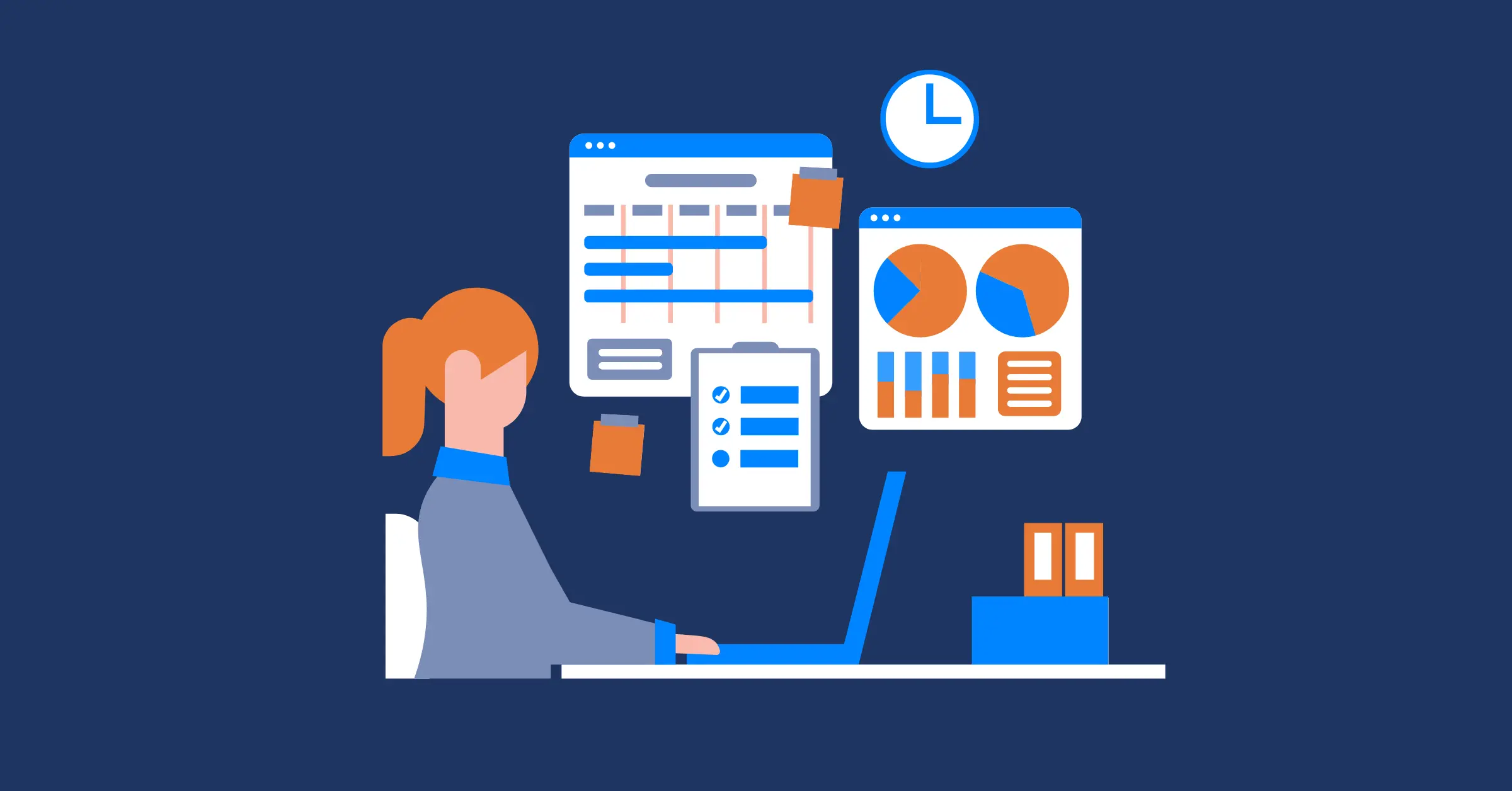
Instead of just listing tasks, project management software shows who is doing what, when it’s due, and how work is progressing. Teams can organize tasks, plan timelines, collaborate, and see updates in real time.
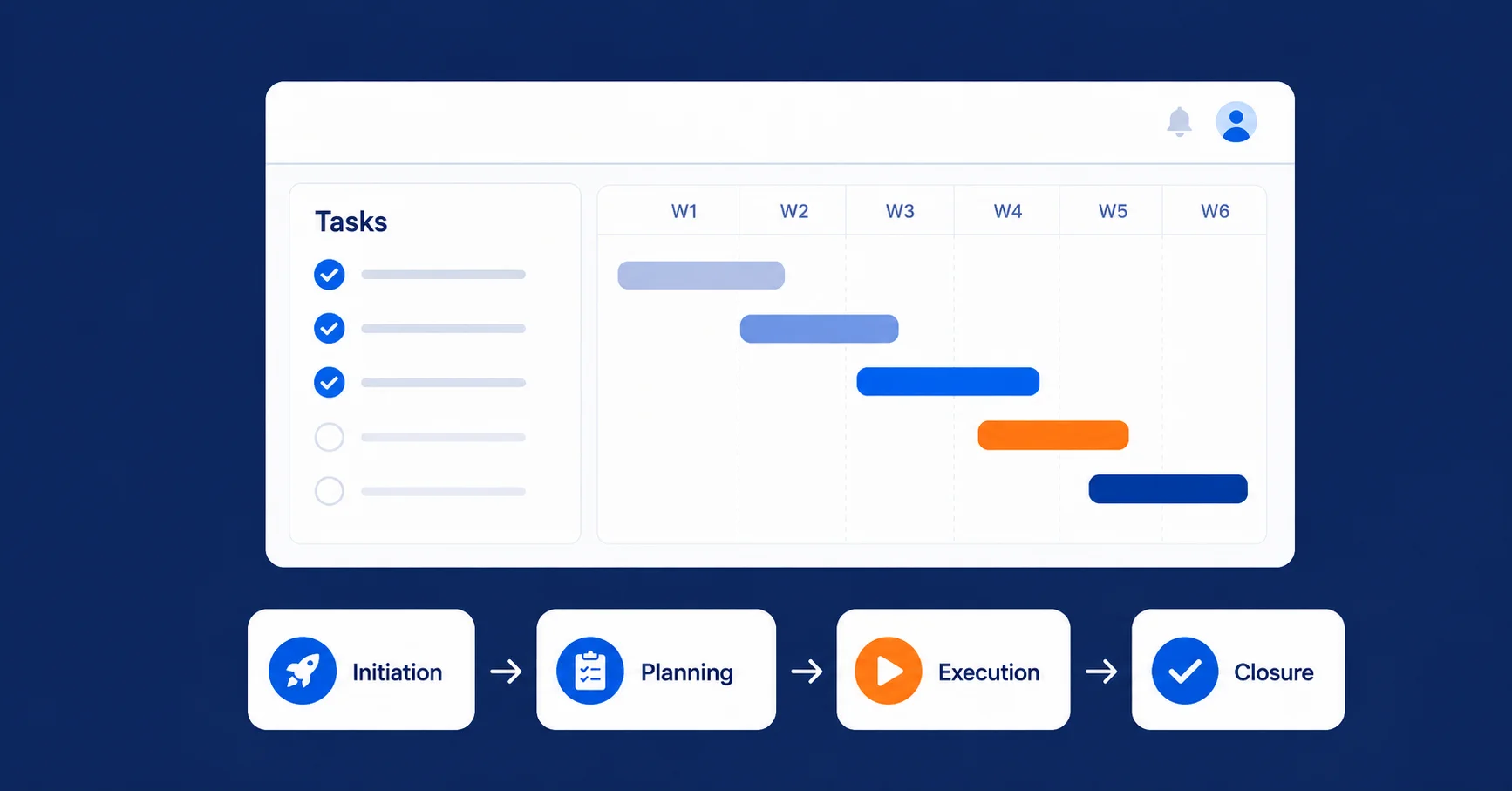
Most modern project management software also includes features like timelines or Gantt charts, resource planning, time tracking, cost tracking, and reporting. This makes it useful for teams working in the office, across departments, or in hybrid and remote setups.
Read also: What is Project Management? The Ultimate Guide for the Beginner.
Project Management Software Typically Includes:
- Task Management: Create, assign, and prioritize tasks to track progress and deadlines.
- Team Collaboration: Communication tools for team members to collaborate, share updates, and discuss tasks.
- Time Tracking: Monitor the time spent on tasks to optimize productivity and ensure deadlines are met.
- Document Sharing: Store and share files and documents related to projects.
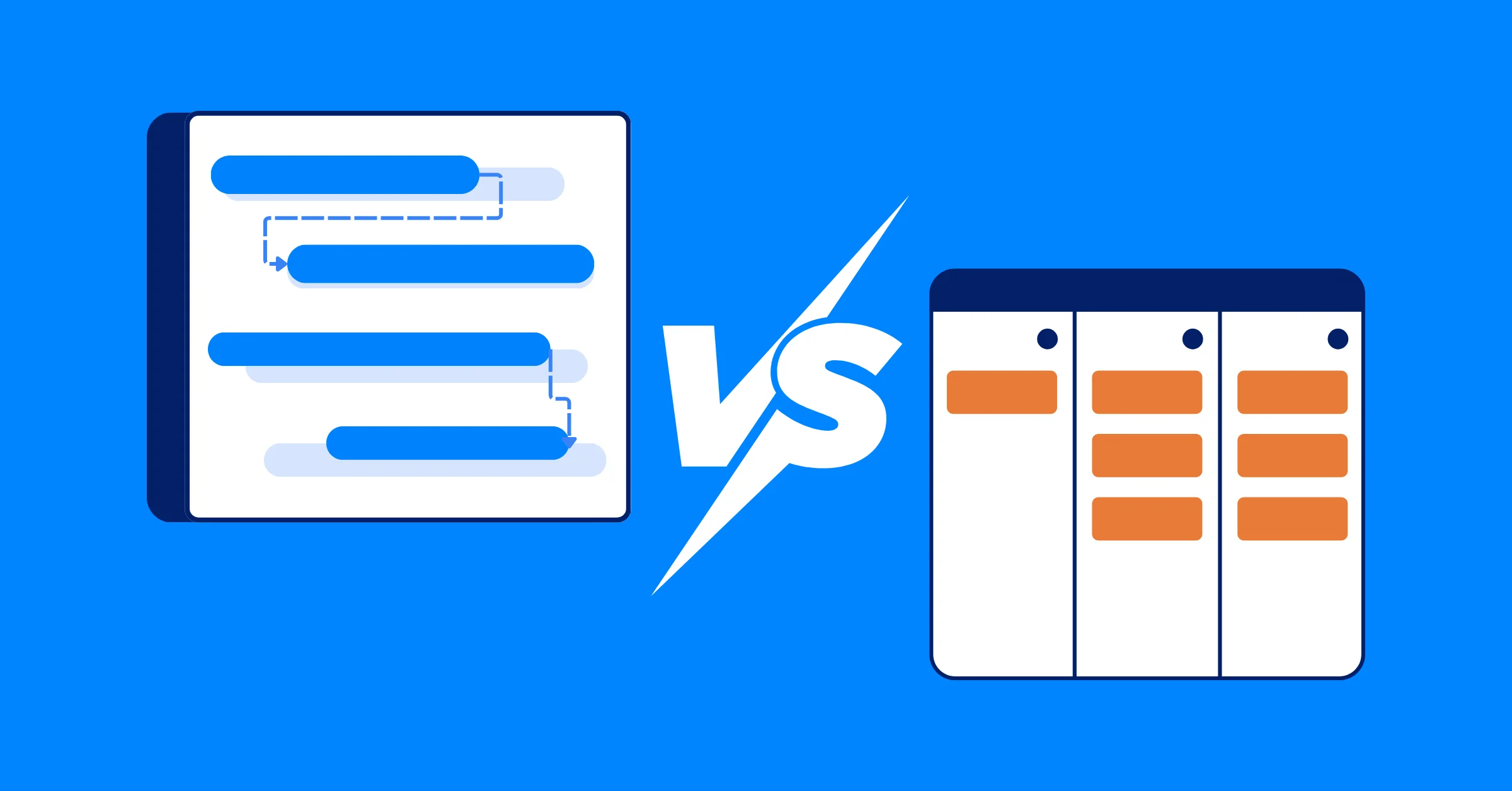
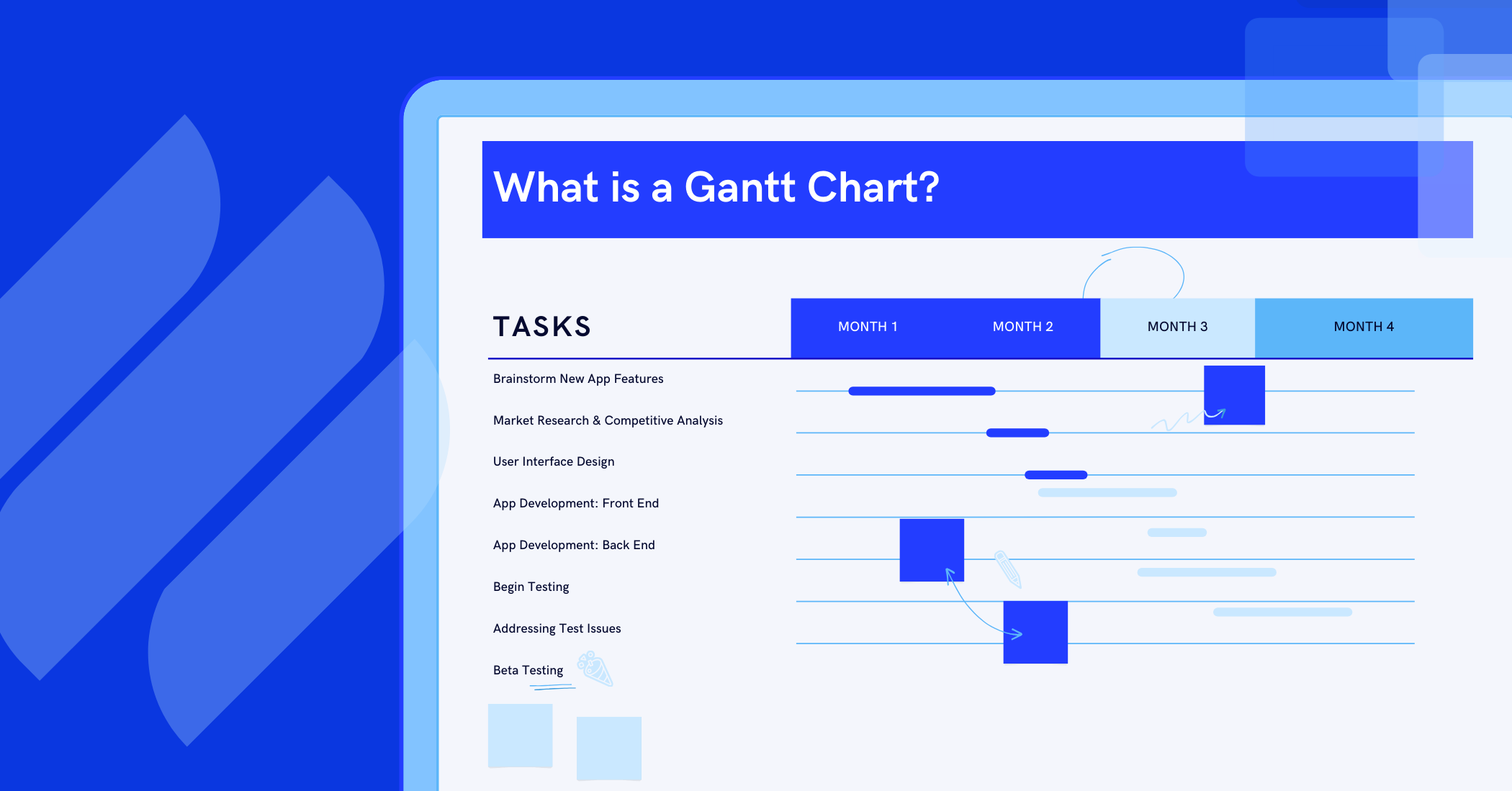
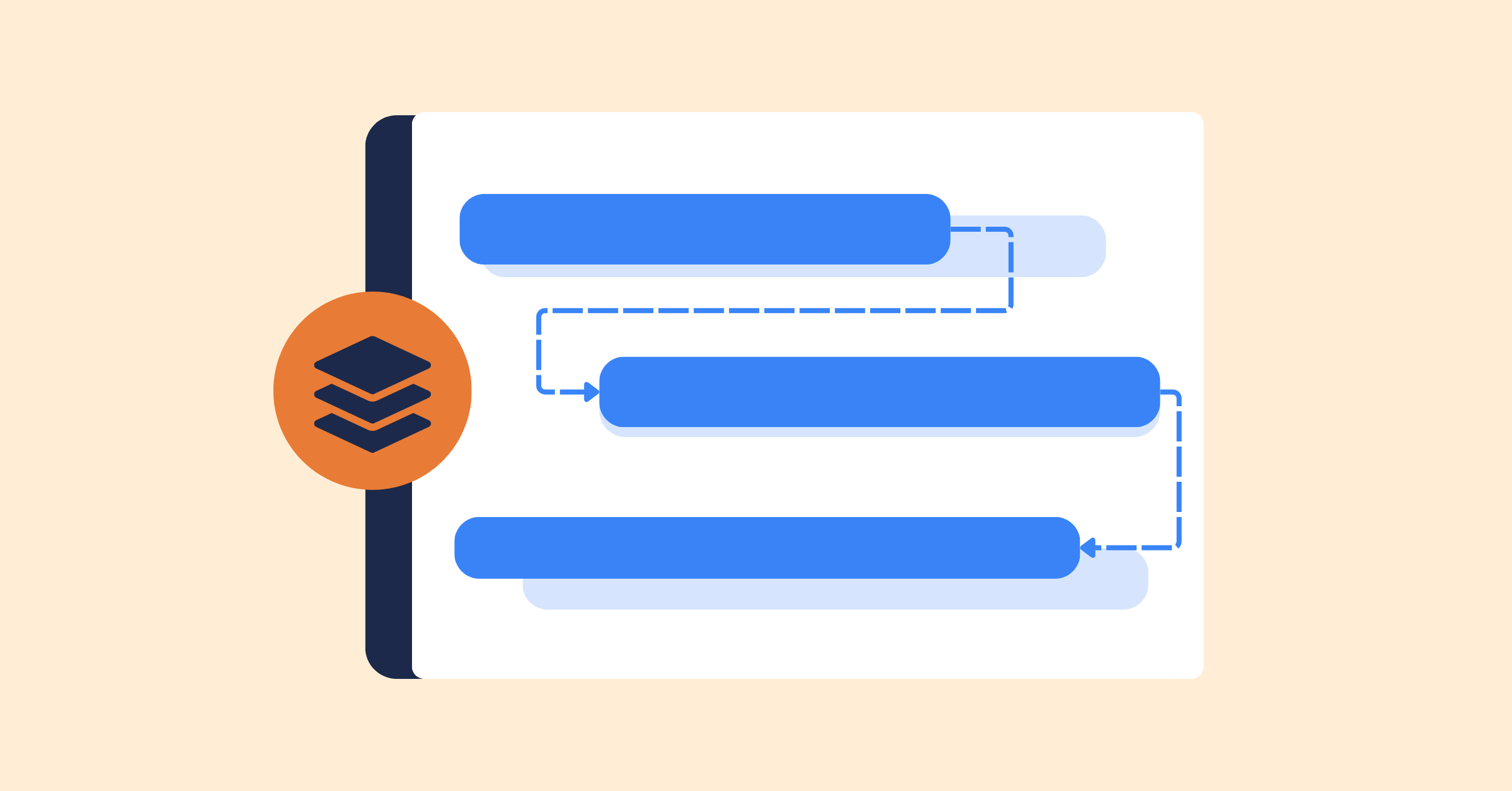
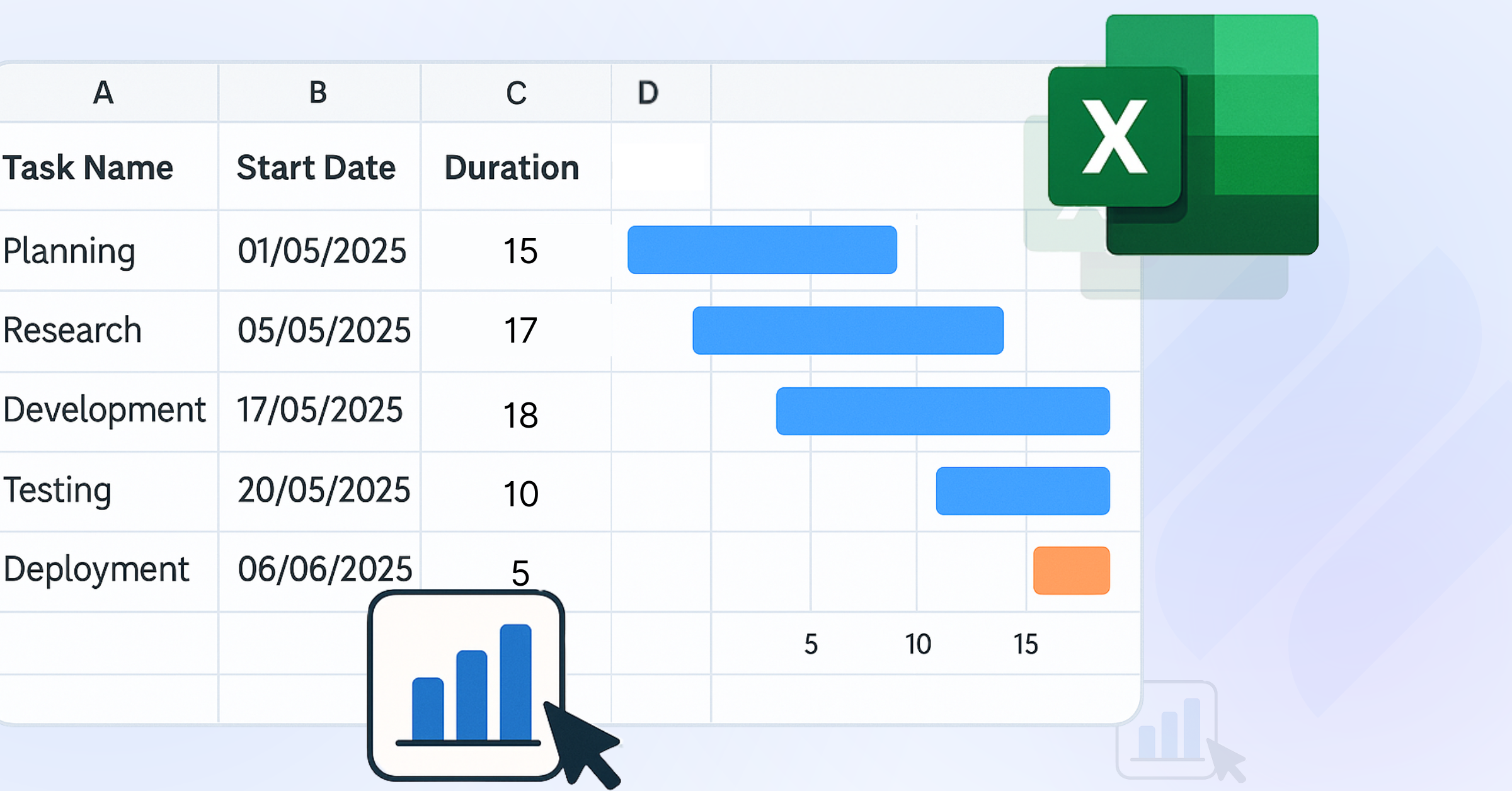
- Gantt Charts: Visualize project timelines and dependencies between tasks.
- Kanban Boards: Organize tasks into columns (e.g., To-Do, In Progress, Done) for a clear overview of progress.
- Reporting and Analytics: Track project performance and generate reports to assess progress and identify areas for improvement.
- Resource Management: Allocate and manage resources (e.g., team members, equipment, budget).
- Risk Management: Identify and mitigate risks that could affect the project’s success.
Whether you’re a team of 5 or 500, using a project management tool minimizes chaos, improves transparency, and ensures deadlines are met.
Benefits of Project Management Tools
Project management tools help teams work more efficiently by bringing structure, visibility, and control to project execution. Whether teams are hybrid, or in-office, these platforms offer clear advantages across productivity, collaboration, and delivery.
- Improved Collaboration: Updates, files, and discussions stay connected to the work—useful for cross-functional teams and distributed teams alike.
- Higher Productivity: Automation (reminders, recurring work, status changes) reduces admin overhead.
- Stronger Time Management: Project management tools offer visual timelines, such as Gantt Charts, which help teams stay on track and meet deadlines, improving time management and reducing delays.
- Improved Delivery Control: Teams can track scope changes, bottlenecks, and risks earlier.
- Time and Cost Savings: Time tracking and cost tracking reduce guesswork in planning and reporting.
- Scalability: Many tools adapt to growing teams or changing project needs, making them suitable for long-term use across various project types.
- Data Security: Robust security features, such as encryption and user permissions, protect sensitive project information.
- Centralized File Storage: With cloud-based storage, project management tools centralize all project documents, making it easier to access and share files, fostering collaboration and keeping all team members on the same page.
How We Picked The Best Project Management Software
The best project management software supports how teams actually work—not just how tasks are listed. To keep this comparison practical and unbiased, each tool was evaluated based on its ability to help teams plan, execute, and stay aligned as work grows more complex.
The evaluation focused on these key criteria:
- Clear Task Ownership and Visibility: How clearly teams can define work, assign responsibility, set priorities, and track status without confusion.
- Flexible Project Planning and Scheduling: Strong project management software supports multiple planning styles, including timelines, Gantt charts, and Kanban boards.
- Built-In Collaboration and Communication: Comments, mentions, notifications, and activity feeds keep conversations tied to specific tasks or projects.
- Support for Remote and Distributed Teams: Features such as asynchronous communication, real-time updates, and time-zone-friendly scheduling help teams collaborate effectively, regardless of location.
- Resource and Workload Management: An ideal platform provides visibility into workloads and team capacity, helping managers balance assignments, avoid burnout, and allocate resources efficiently.
- Time Tracking and Cost Control: Time tracking, budgeting, and cost-tracking features allow teams to monitor effort and expenses.
- Integrations With Existing Tools: Seamless integrations with tools like Slack, Google Drive, Zoom, or Jira help teams work within their existing ecosystem without disrupting workflows.
- Ease of Use and Scalability: The software should be intuitive enough for quick adoption while also scalable to support growing teams, more complex projects, and evolving workflows.
What are the Best Free Project Management Tools for Teams 2026?
Below is a detailed review of 14 best free project management tools, evaluated for their suitability for your teams based on features, usability, and scalability:
1. TaskFord
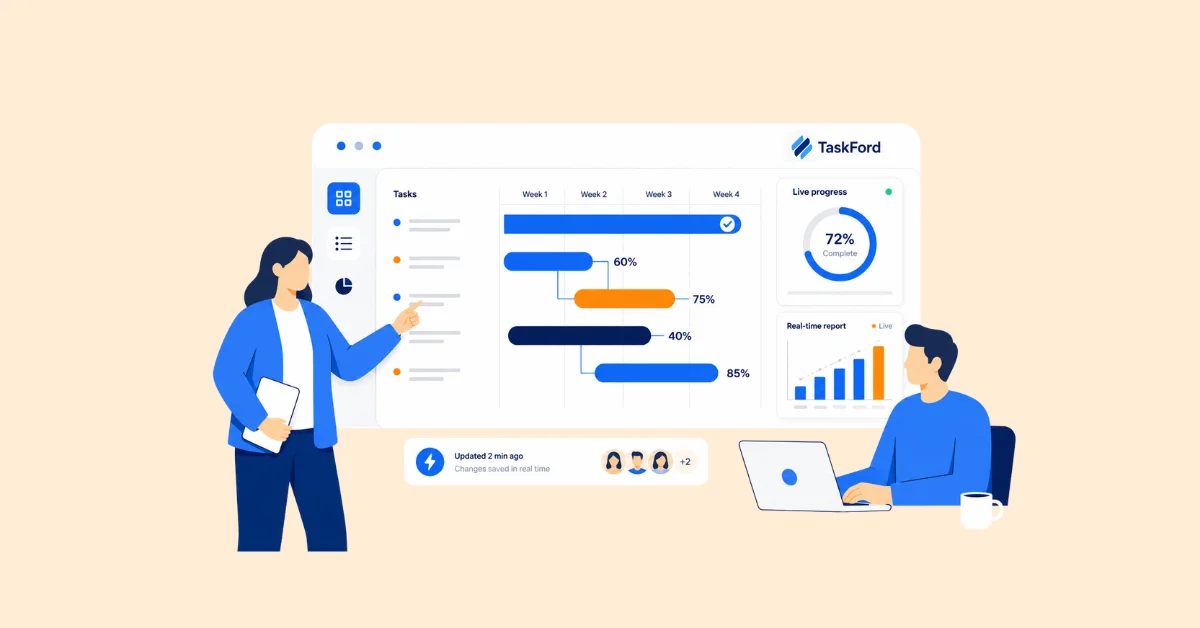
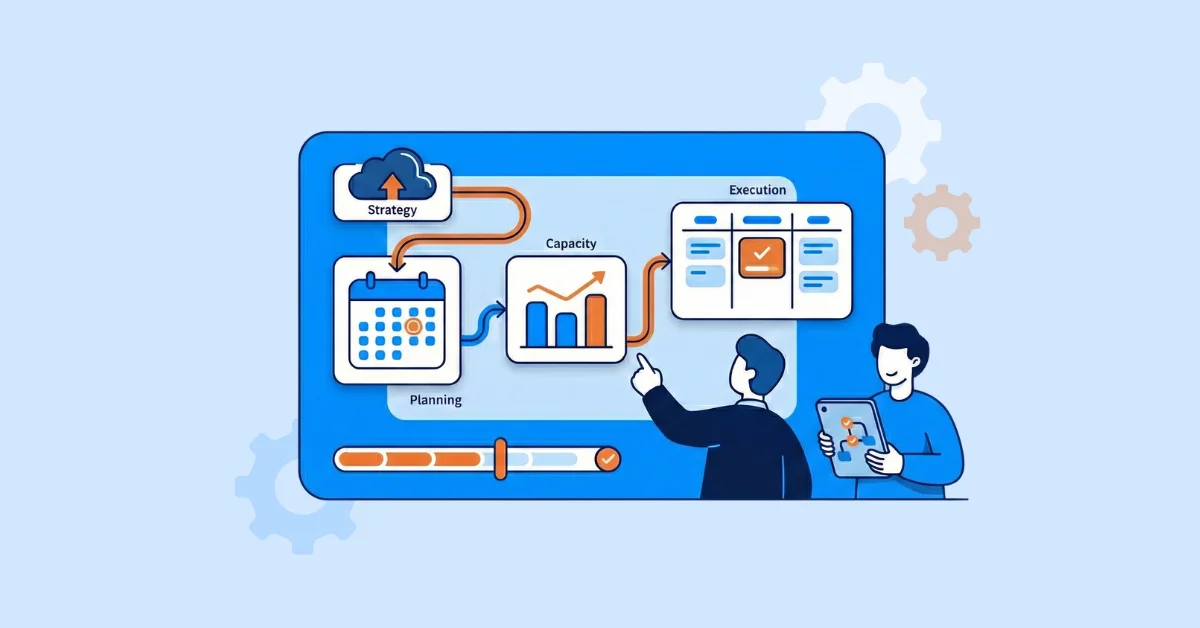
TaskFord is an Integrated Work Delivery Platform designed to close the gap between strategic goals and day-to-day execution. It brings together project planning, resource management, team collaboration and budget tracking in one system, helping organizations move beyond basic task tracking and focus on predictable delivery across critical projects.
Instead of just tracking tasks, TaskFord connects strategy, planning, execution, and delivery in one system. Teams can align goals with daily work, schedule tasks based on real capacity, track progress in real time, and understand how every hour contributes to delivery and profitability.
By bringing together project management, task management, resource planning, progress tracking, dashboards, OKRs, and templates, TaskFord replaces fragmented tools with a single source of truth. The result is less chaos, better alignment, and predictable delivery across projects and teams.
Standout Features
1. Project & Portfolio Management
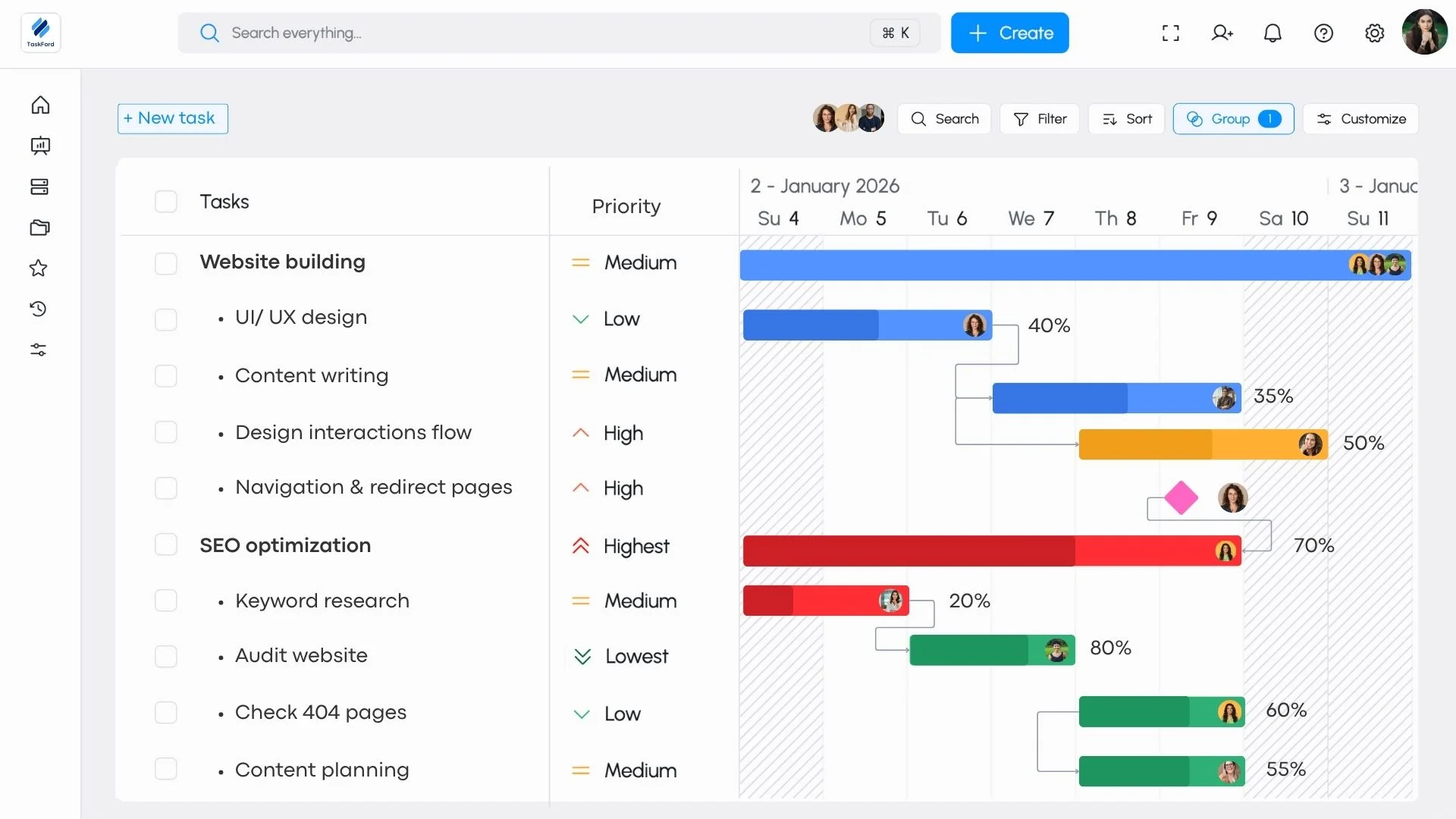
TaskFord supports both individual project execution and portfolio-level oversight. Teams can plan projects using tasks, milestones, dependencies, and Gantt charts, while leaders can view progress across multiple projects in one place. Portfolio views make it easier to prioritize initiatives, track delivery status, and understand how work aligns with broader objectives.
2. Resource and Capacity Management
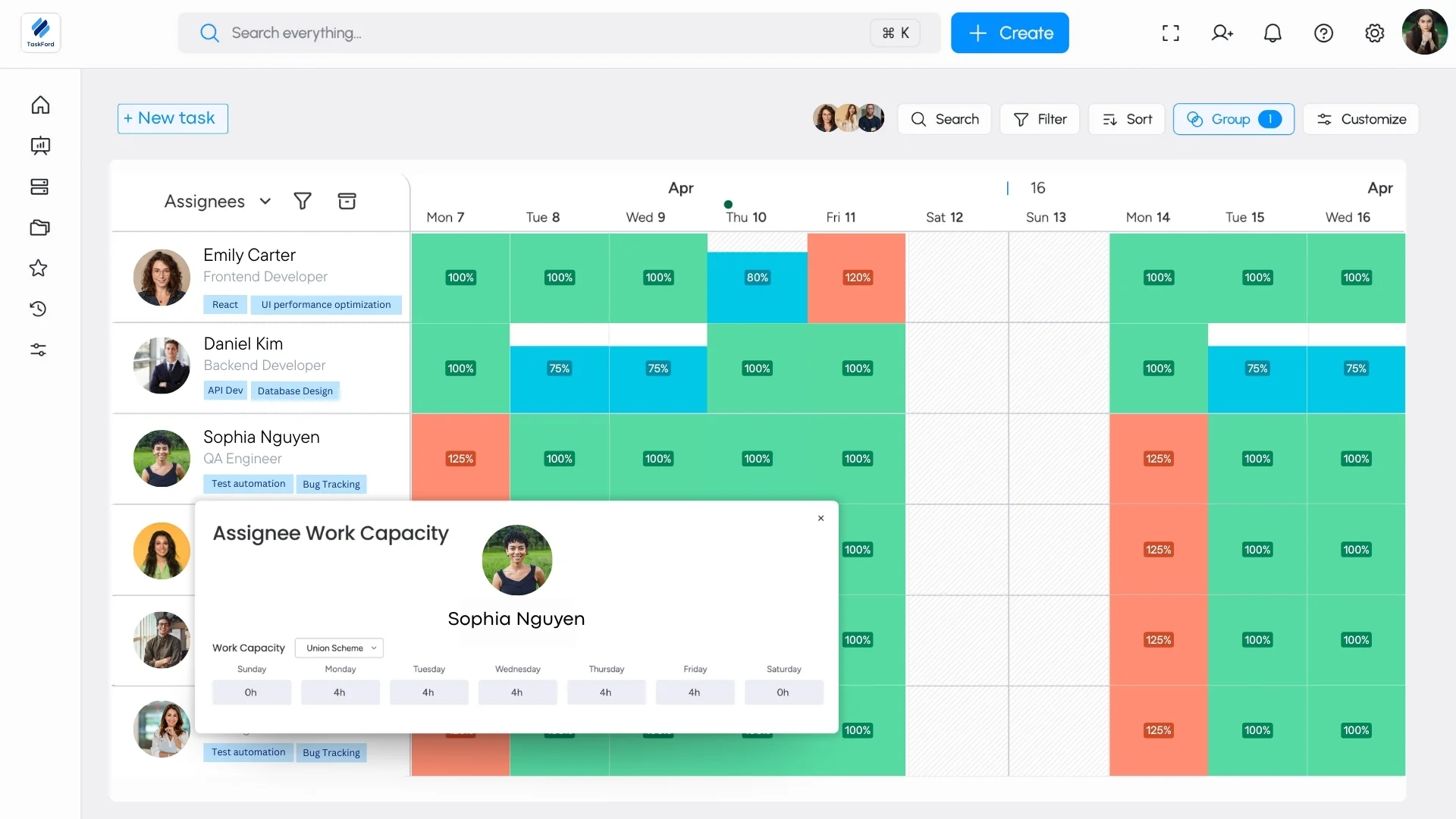
TaskFord provides visibility into team availability and workload across projects. Managers can see who is assigned to what, identify over- or under-utilization, and make informed allocation decisions. This helps teams balance capacity, avoid burnout, and plan work more realistically as priorities change.
3. Built-in Time Tracking and Timesheet Approvals
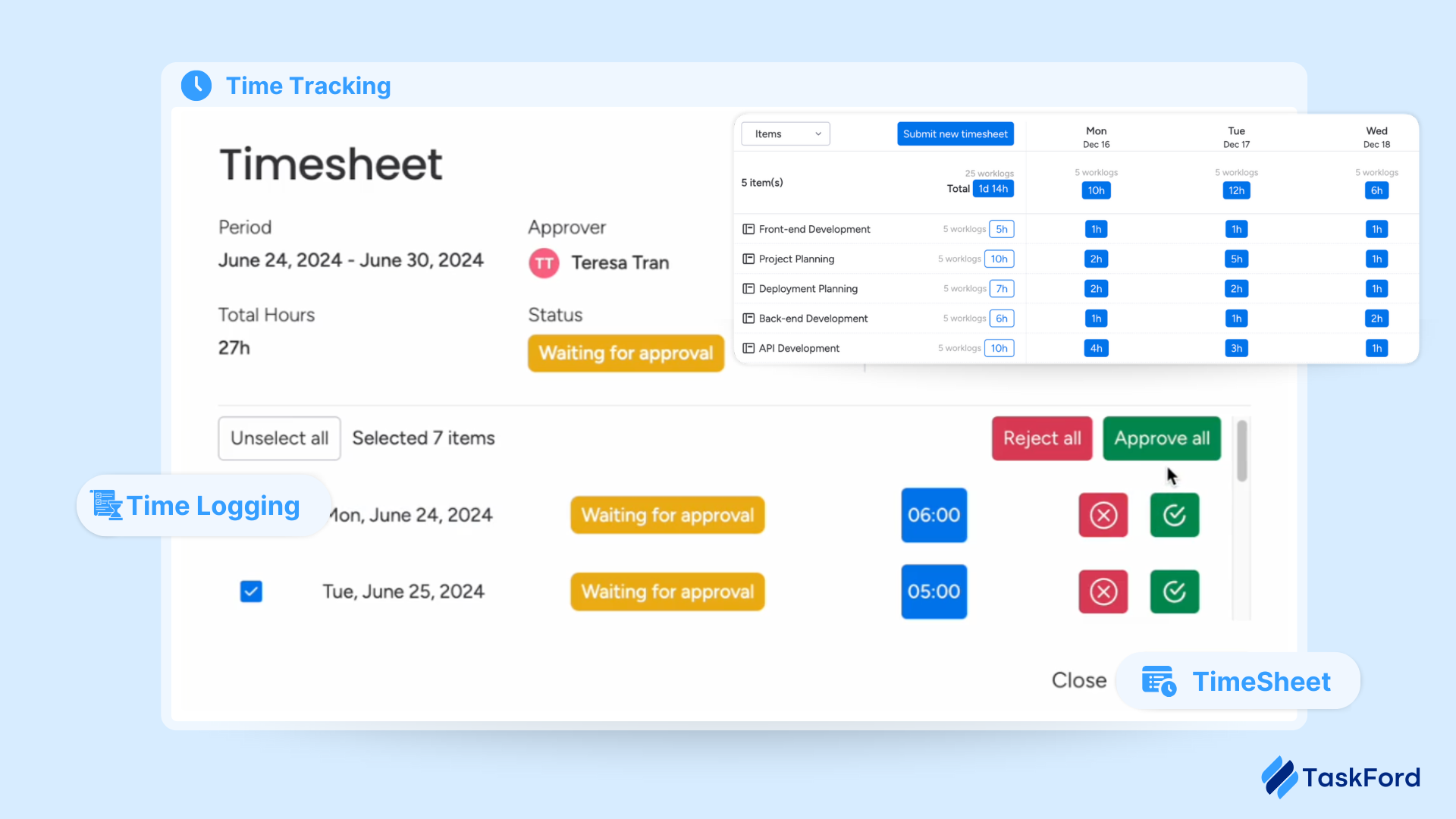
Time tracking is integrated directly into tasks and projects, allowing team members to log effort as work is completed. Timesheet approval workflows ensure data accuracy and provide a reliable foundation for utilization reporting, forecasting, payroll, or client billing.
4. Finance & Cost Governance
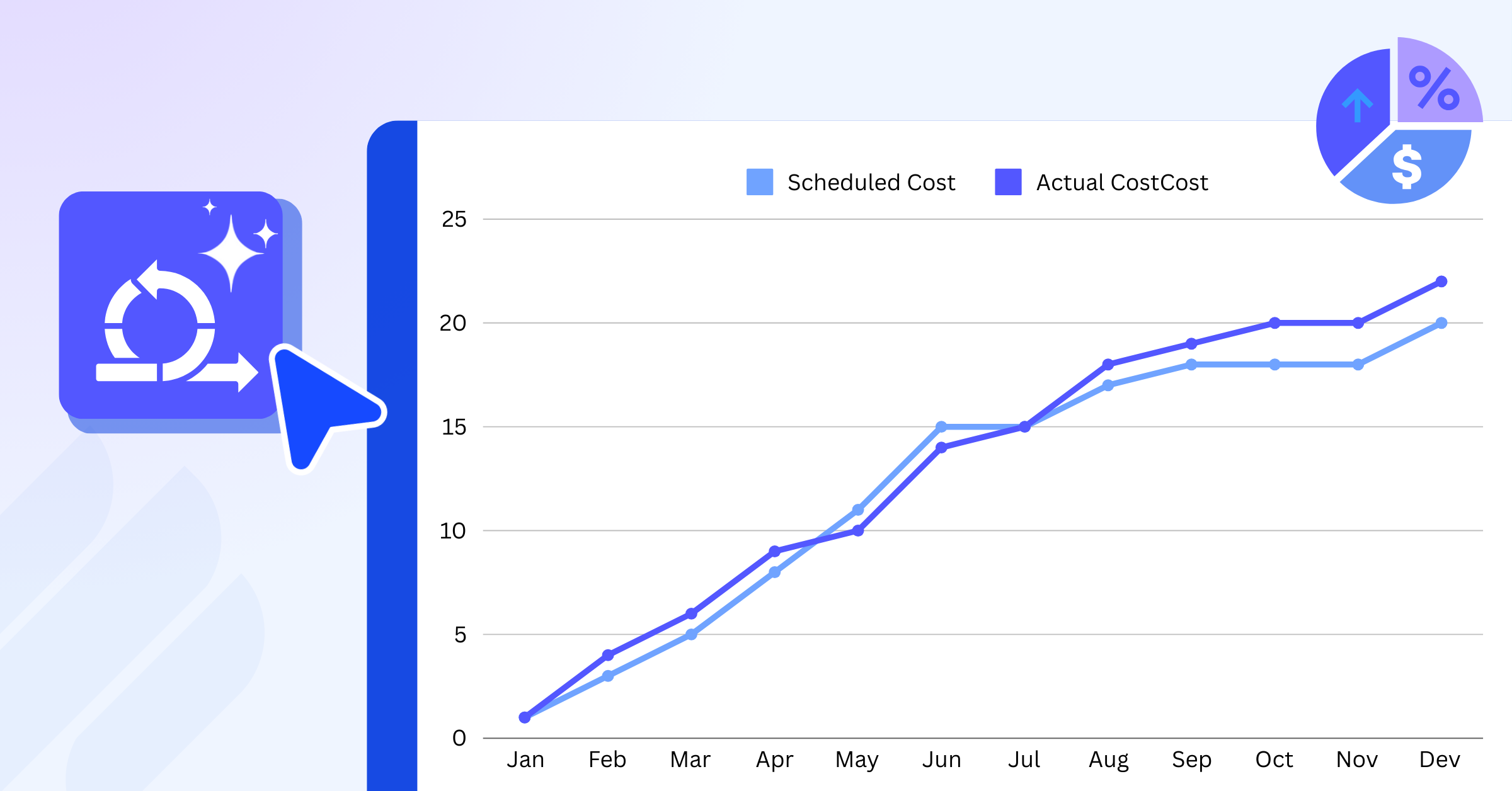
TaskFord connects time, resources, and expenses to project budgets. Teams can track planned versus actual costs in real time, manage role-based rates, and monitor budget consumption as work progresses. This enables better cost control and reduces the risk of overruns, especially in multi-project environments.
5. Dashboards and Reporting
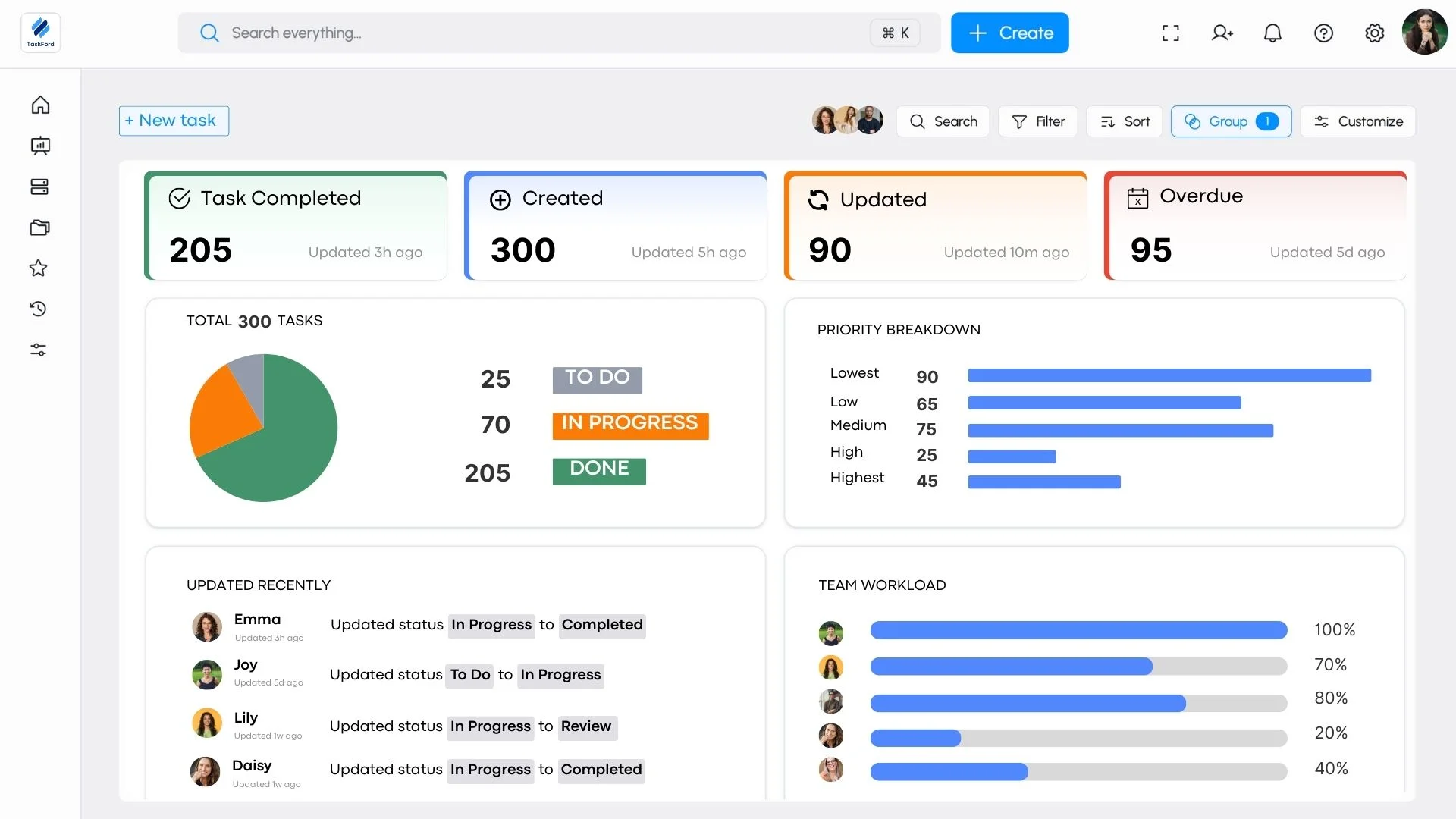
TaskFord offers dashboards and reports that provide insight into project progress, workload, time usage, and cost performance. These views help teams spot risks early, support informed decision-making, and keep stakeholders aligned without manual status reporting.
Pros
TaskFord combines project planning, resource management, time tracking, and cost control in one platform. It supports Gantt charts, dependencies, and portfolio views, making it well suited for complex or multi-project teams. Built-in workload visibility and real-time budget tracking help teams plan and deliver work more reliably.
Cons
The platform currently supports only a limited number of third-party integrations, and some advanced features are still in development.
Pricing Plans
TaskFord offers three plans:
- Free ($0) – For small teams getting started, with core project planning features and limited users, boards, and storage.
- Standard ($3/user/month) – For growing teams, with higher limits and improved collaboration.
- Advanced ($5/user/month) – For larger teams, adding time tracking, docs, forms, and increased capacity. (Contact us for full plan details)
Paid plans include a free trial, with workspaces reverting to the Free plan if no upgrade is selected.
User Rating: 5/5 (based on G2 reviews).
Best For: Teams managing complex or multi-project work that requires structured planning, resource and capacity management, time tracking, and cost visibility. It is especially well suited for cross-functional teams, growing organizations, and teams that need stronger control over workloads, budgets, and delivery timelines than basic task management tools provide.
2. Celoxis
Celoxis is an AI-powered project and portfolio management platform designed for organizations managing complex projects, resources, budgets, and portfolios. It combines project planning, resource management, financial tracking, time management, workflow automation, and portfolio reporting into a single platform, making it well-suited for PMOs, consulting firms, IT teams, and enterprises that require complete visibility across multiple projects.
Standout Features:
Celoxis includes dynamic Gantt charts, Kanban boards, workload management, resource capacity planning, timesheets, project budgeting, issue tracking, and customizable dashboards. Its AI-powered insights, portfolio analytics, automated reporting, and integrations with Jira, Microsoft 365, Salesforce, Slack, and hundreds of other business applications help teams optimize resources, monitor project performance, and make faster, data-driven decisions.
Pros
Celoxis is an excellent choice for organizations that need a comprehensive platform for managing projects, resources, finances, and portfolios. Its robust reporting, workflow automation, financial management, and highly customizable dashboards reduce the need for multiple tools while supporting enterprise-scale project management.
Cons
Celoxis does not offer a permanently free plan, with only a 14-day free trial available. Its extensive feature set may also require some onboarding for smaller teams with simpler project management needs.
Pricing Plans & Rating
- Pricing: 14-day free trial available; paid plans start at $10/user/month (billed annually)
- User Rating: 4.4/5 across Capterra and G2
- Best For: PMOs, consulting firms, IT teams, engineering organizations, healthcare providers, and mid-sized to enterprise businesses looking for an all-in-one platform for project planning, resource management, budgeting, portfolio management, and executive reporting.
3. ONES.com
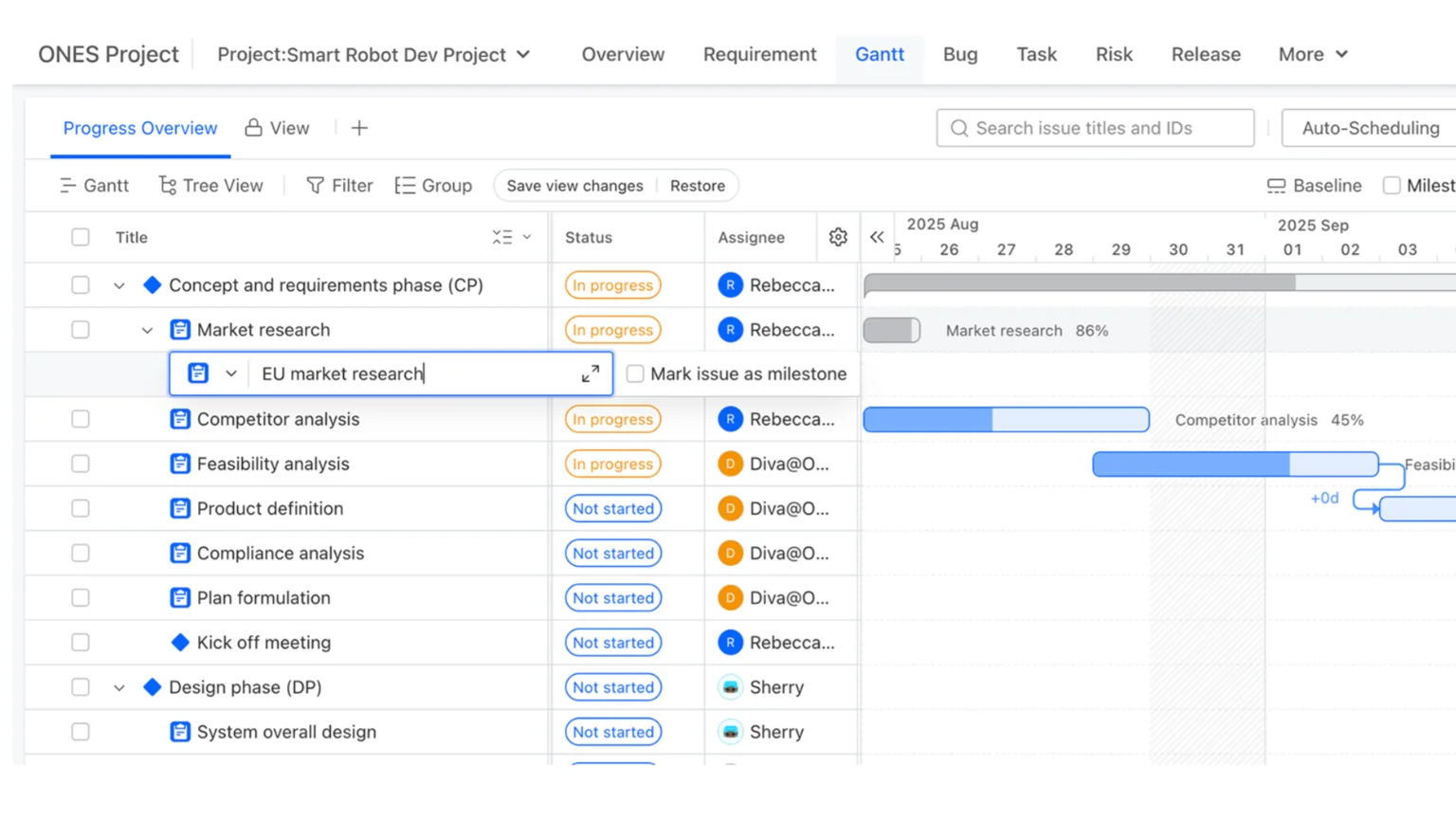
ONES.com is an agent-ready project management platform designed for product, R&D, PMO, and complex delivery teams. It connects planning, execution, resource management, reporting, automation, and project knowledge in one configurable, agent-ready platform. This lets AI agents work directly inside project workflows—not just answer questions about them. ONES.com enterprise project management software with Gantt planning
Standout Features
ONES.com supports configurable project workflows, Agile, Waterfall, and hybrid delivery, cross-project dependencies, Gantt planning, backlog and release management, resource allocation, dashboards, and performance analytics. Its AI capabilities work with shared project and knowledge context rather than operating as a separate assistant.
Pros
- Supports both Agile delivery and broader enterprise project management.
- Connects project execution with knowledge and documentation.
- Offers resource planning, cross-project visibility, reporting, and automation.
- Supports cloud, private-cloud, on-premises, and air-gapped deployment.
Cons
- Teams should define workflow standards and ownership before scaling complex configurations.
Pricing Plans & Rating
- Pricing: Free cloud plan for up to 30 seats; tiered paid and on-premises plans are available.
- User Rating: 4.5/5 on G2.
- Best For: Product, R&D, PMO, and enterprise teams coordinating multiple projects, workflows, resources, and delivery functions.
4. Jira
Jira, developed by Atlassian, is designed for agile software development, offering robust tools for sprint planning and issue tracking. It’s widely used by tech teams to manage complex projects.
Standout Features:
Scrum and Kanban boards, issue tracking, sprint planning, and over 3,000 integrations (e.g., Confluence, Slack, GitHub) make Jira highly customizable. Its reporting tools provide insights into sprint progress and team performance, ideal for tech teams.
Pros
Jira excels in agile workflows, with deep customization for workflows and fields. It scales well for large teams and integrates seamlessly with development tools, ensuring alignment across distributed engineering teams.
Cons
The steep learning curve can overwhelm non-technical users, making the interface complex compared to TaskFord’s simplicity. Setup requires more time for optimal configuration.
Pricing Plans & Rating
- Pricing: Free plan for up to 10 users; paid plans start at $7/user/month.
- User Rating: 4.4/5 (based on Capterra and G2 reviews).
- Best For: Software development teams managing sprints or bug tracking. For instance, Autodesk’s global engineering teams use Jira to coordinate 2,000+ engineers across time zones, streamlining sprint planning and issue resolution.
5. Teambook
Teambook is a resource planning and capacity management platform built for agencies, consultancies, IT services, engineering firms, and other professional services teams. Rather than focusing on task execution, it helps managers plan workloads, allocate resources, and forecast capacity across multiple projects.
Standout Features:
Teambook provides visual drag-and-drop resource scheduling, capacity forecasting, workload management, project staffing, utilization tracking, and timesheets. Its planning interface offers a clear overview of team availability, helping managers identify overbooked resources or staffing gaps before they impact project delivery.
Pros:
Teambook is exceptionally easy to adopt compared to complex PSA and ERP systems. Teams gain instant visibility into resource allocation, capacity, and utilization without lengthy implementation projects. Its forecasting capabilities help service organizations make better staffing decisions, improve resource allocation, and increase project profitability.
Cons:
Teambook is not designed as a full project management suite. Teams requiring advanced task management, sprint planning, issue tracking, or extensive workflow automation may need to pair it with tools such as Jira, TaskFord, or Asana.
Pricing Plans & Rating
- Pricing: Project-based pricing with unlimited users.
- User Rating: 4.7/5 (based on Capterra reviews).
- Best For: Agencies, consultancies, IT services, engineering firms, and professional services organizations that need better resource planning and capacity visibility. For example, a consulting company managing multiple client projects can use Teambook to forecast staffing needs, balance workloads across teams, and ensure the right people are assigned to the right projects at the right time.
6. Monday.com
Monday.com is a versatile platform with customizable workflows, making it suitable for cross-department collaboration, from marketing to HR. Its vibrant interface and automation capabilities streamline remote workflows.
Standout Features
Custom dashboards, Kanban boards, time tracking, automation, and 200+ integrations (e.g., Slack, Microsoft Teams, Eventbrite) enable tailored project management. Real-time collaboration tools like comments and notifications keep remote teams connected.
Pros
Highly flexible, with templates for various industries. The intuitive design reduces onboarding time, and automation saves time on repetitive tasks like status updates.
Cons
Gantt views lack full functionality for building projects from scratch, and advanced features require higher-tier plans, increasing costs for larger teams.
Pricing Plans & Rating
- Pricing: Free plan for up to 2 users; paid plans start at $6/user/month.
- User Rating: 4.6/5 (based on Capterra and G2 reviews). (Monday.com Pricing Plans)
- Best For: Cross-functional teams needing flexibility. For example, a marketing agency might use Monday.com to manage campaigns, with dashboards tracking deliverables across time zones.
7. Basecamp
Basecamp is designed for simplicity, prioritizing communication and collaboration for teams. Unlike feature-heavy platforms, it focuses on core functionalities to streamline project management without overwhelming users. It’s all-in-one approach consolidates tasks, discussions, and files in a single workspace, making it ideal for teams seeking to reduce tool sprawl.
Standout Features
File sharing, real-time messaging, to-do lists, and a flat pricing model. Its “Hill Charts” provide a unique visual for tracking project progress.
Pros
Easy to use, with a flat pricing structure ideal for small teams. Strong communication tools reduce reliance on external apps like email.
Cons
Limited integrations and advanced features make it less suited for complex projects compared to TaskFord or Monday.com.
Pricing Plans & Rating
- Pricing: $15/user/month, no free plan, 30-day free trial.
- User Rating: 4.3/5 (based on Capterra and G2 reviews).
- Best For: Teams prioritizing communication. A marketing agency might use Basecamp to centralize client updates and creative assets, reducing email clutter.
8. SmartSuite
SmartSuite is a flexible, all-in-one platform designed for complex projects requiring tailored workflows. It combines task management, automation, and custom dashboards, making it suitable for industries like IT, construction, or creative services. Its drag-and-drop interface and extensive template library allow teams to build workflows that match their specific needs, from project tracking to resource allocation.
Standout Features
Custom templates for various industries, task management with Kanban and list views, automation for repetitive tasks, 200+ integrations (e.g., Slack, Google, Microsoft), drag-and-drop workflow builder, real-time collaboration, and custom dashboards for performance insights.
Pros:
SmartSuite stands out for its high level of customization, powerful automation features, and extensive template library tailored to various industries. With over 200 integrations and a clean, user-friendly design, it simplifies workflows and enhances productivity.
Cons
SmartSuite does not offer a free plan, which might discourage small teams or startups. Its pricing can be steep for smaller teams, and the platform’s complexity may overwhelm users seeking simplicity. Additionally, some users experience occasional lag in real-time updates, which can impact fast-paced collaboration.
Pricing Plans & Rating:
- Pricing: Paid plans start at $10/user/month; custom enterprise pricing available.
- User Rating: 4.5/5 (based on Capterra and G2 reviews).
- Best For: Teams managing complex, cross-functional projects. A IT team might use SmartSuite to manage software rollouts, with custom dashboards tracking milestones and resource allocation across distributed team members.
9. Notion
Notion is a versatile platform that blends task management with flexible workspaces, serving as a centralized hub for tasks, documentation, and knowledge management. Its block-based system allows teams to create custom layouts for projects, wikis, or databases, making it ideal for hybrid teams needing both task tracking and a repository for shared resources.
Standout Features
Real-time co-editing, Kanban boards, databases, block-based system for customizable layouts, task assignments with due dates, integrations with Slack and Google Drive, mobile app for cross-platform access.
Pros
Notion’s flexibility is unmatched, allowing teams to build everything from project trackers to company wikis in one place. Its clean, intuitive interface and robust free plan make it accessible for small teams.
Cons
Notion lacks advanced resource planning or time-tracking features, limiting its use for large-scale projects compared to other tools like TaskFord or Jira. The block-based system, while flexible, can require time to set up for complex workflows. Some users find the lack of native Gantt charts a drawback for timeline-driven projects.
Pricing Plans & Rating
- Pricing: Free plan available; paid plans start at $8/user/month.
- User Rating: 4.7/5 (based on Capterra and G2 reviews).
- Best For: Teams needing a workspace for tasks and documentation. A content creation team might use Notion to manage editorial calendars, store research, and track publishing tasks, all within a single platform.
10. Miro
Miro is a visual collaboration platform with project management capabilities, excelling in brainstorming and creative workflows. Its digital whiteboards enable teams to collaborate on ideas, plan projects, and visualize workflows, making it a favorite for creative and design-focused teams. While not a traditional project management tool, its Kanban boards and task management features support lightweight project tracking, ideal for teams that prioritize ideation and collaboration.
Standout Features
Digital whiteboards, Kanban boards, real-time collaboration, task assignments, integrations with Slack, Microsoft Teams, and Zoom, templates for brainstorming and agile workflows, mobile app.
Pros
Miro excels in visual collaboration with real-time whiteboards ideal for brainstorming, mind mapping, and agile planning. Its integrations with Slack and Zoom streamline workflows, while the free plan covers basic needs. Highly rated (4.6/5), Miro’s templates and mobile app make it a flexible choice for creative, distributed teams.
Cons
Miro’s project management features are less robust than traditional tools, lacking advanced task dependencies or detailed reporting. Its focus on visual collaboration may not suit teams needing comprehensive project management functionalities. The learning curve for non-visual workflows can be steep, and some users report occasional performance issues with large boards.
Pricing Plans & Rating
- Pricing: Free plan available; paid plans start at $8/user/month.
- User Rating: 4.6/5 (based on Capterra and G2 reviews).
- Best For: Creative teams needing visual collaboration. A design team might use Miro to brainstorm campaign visuals, sharing interactive whiteboards across time zones to align on concepts.
11. Quire
Quire is a lightweight yet powerful project management tool focused on intuitive task hierarchies and flexible workflows. Its nested task structure allows teams to break down complex projects into manageable sub-tasks, making it ideal for teams seeking simplicity without sacrificing depth. Quire’s clean interface and real-time collaboration features ensure alignment across distributed teams, particularly for startups or small businesses.
Standout Features
Nested task lists, Kanban boards, real-time collaboration, task scheduling with due dates, integrations with Slack and Zapier, mobile app, timeline view for project planning.
Pros
Quire’s nested task system offers clear project organization, while its intuitive interface and generous free plan make it ideal for small teams. Real-time collaboration and timeline views support remote work, and integrations with Slack and Zapier boost connectivity
Cons
Quire has limited reporting features and fewer integrations than competitors, and its mobile app lacks some desktop functionality, which may impact users.
Pricing Plans & Rating
- Pricing: Free plan available; paid plans start at $7.65/user/month.
- User Rating: 4.6/5 (based on Capterra and G2 reviews).
- Best For: Teams needing flexible task management. A startup might use Quire to break down product development tasks into sub-tasks, ensuring clarity across distributed team members.
12. Teamwork
Teamwork is a project management platform tailored for client work and agency collaboration, offering robust tools for task tracking, time management, and invoicing. Its focus on client-facing features makes it ideal for remote teams working with external stakeholders, such as PR firms or consultancies. With Gantt charts, task dependencies, and client access, Teamwork supports complex project planning and billing, ensuring seamless collaboration across distributed teams.
Standout Features
Task management, time tracking, invoicing, Gantt charts, task dependencies, integrations with Slack, HubSpot, and QuickBooks, client access for collaboration, mobile app.
Pros
Teamwork excels in client management, with invoicing and client access features that streamline external collaboration. Its Gantt charts and task dependencies support complex project planning, while robust time tracking ensures accurate billing for agencies.
Cons
The interface can feel dated, potentially affecting user experience. Pricing may be high for small teams, and some users report occasional glitches in Gantt chart functionality, which could disrupt timeline planning. The platform’s complexity may overwhelm teams seeking simpler solutions
Pricing Plans & Rating
- Pricing: Free plan for up to 5 users; paid plans start at $5.99/user/month.
- User Rating: 4.5/5 (based on Capterra and G2 reviews).
- Best For: Agencies managing client projects. A PR firm might use Teamwork to track campaign tasks, manage billable hours, and share progress with clients.
13. Businessmap
Businessmap is an enterprise project and portfolio management platform that helps PMOs connect strategy, portfolios, and execution in one lightweight environment. It gives leaders visibility into initiatives, projects, dependencies, risks, and team workflows without the complexity of traditional PPM systems.
Standout Features
Built-in AI helps summarize work, analyze trends, generate insights, and support faster decision-making. Its outcomes connect goals, OKRs, initiatives, projects, and execution workflows in the same environment. It offers PMOs a clear view of progress, priorities, risks, and dependencies across teams, along with built-in analytics and management dashboards for stronger PMO reporting.
Pros
Businessmap is a strong fit for enterprise PMOs and transformation teams. It offers a good balance of portfolio governance, analytics, AI, and workflow execution in a more accessible PPM environment.
Cons
The platform can feel more advanced than needed for teams looking only for basic task management. It may require thoughtful setup to get the most value from portfolio and strategy features.
Pricing Plans & Rating
- Pricing: Free trial available; paid plans start at $10.60/user/month (billed annually)
- User Rating: 4.8/5 on Capterra and 4.6/5 on Gartner Peer Insights
- Best For: Enterprise PMOs, portfolio managers, and business transformation teams looking for a lightweight yet powerful platform to align strategy with execution, improve reporting, and manage work across multiple teams.
14. Trello
Trello is a visual project management tool built on a Kanban board system, ideal for small teams or simple workflows. Its drag-and-drop interface makes task organization intuitive, allowing users to create boards for projects, lists for stages (e.g., “To-Do,” “In Progress”), and cards for tasks.
Standout Features:
Trello offers task assignments, due dates, file attachments, and a mobile app for on-the-go access. Its “Power-Ups” enable integrations with Slack, Google Drive, and Jira, enhancing functionality. Real-time updates ensure team members stay aligned, critical for collaboration.
Pros:
The interface is user-friendly, with a low learning curve, making it accessible for non-technical teams. The free plan is robust, supporting unlimited cards and up to 10 boards per workspace. Automation via Butler simplifies repetitive tasks like moving cards or sending notifications.
Cons:
Trello lacks advanced features like Gantt charts or detailed reporting, limiting its use for complex projects. It may not scale well for large teams compared to tools like Jira or TaskFord.
Pricing Plans & Rating
- Pricing: Free plan available; paid plans start at $5/user/month (Standard).
- User Rating: 4.5/5 (based on Capterra and G2 reviews).
- Best For: Small teams or creative agencies that need simple, visual task management. For example, a freelance design team can use Kanban boards to track client revisions, keep work transparent, and stay aligned with minimal setup.
Comparison Table: Features at a Glance
To help teams evaluate these tools, the following table compares their key features, pricing, and suitability for your team work:
| Tool | Key Features | Best For | Free Plan | Paid Plans |
|---|---|---|---|---|
| TaskFord | Project & portfolio management, resource and capacity planning, time tracking, budget tracking, dashboards | Teams managing complex or multi-project work with planning and cost control needs | Yes (Up to 3 users) | From $3/user/month |
| Celoxis | AI-powered project & portfolio management, resource planning, budgeting, time tracking, workflow automation, advanced reporting | PMOs, consulting firms, IT teams, and enterprises managing complex projects and portfolios | No (14-day free trial) | From $10/user/month |
| ONES.com | Configurable workflows, Agile planning, Gantt charts, resource planning, reporting, automation, connected knowledge management, and agent-ready workflows | Product, R&D, PMO, and complex delivery teams | Yes, up to 30 seats | Tiered paid plans |
| Jira | Agile boards, issue tracking, sprint planning, reporting | Software development and engineering teams | Yes (up to 10 users) | From $7/user/month |
| Monday.com | Custom workflows, automation, dashboards, integrations | Cross-functional teams needing flexibility | Yes (2 users) | From $6/user/month |
| Teambook | Resource planning, capacity forecasting, workload management, utilization tracking, timesheets | Agencies, consultancies, and professional services teams focused on resource allocation | No | Project-based pricing with unlimited users |
| Basecamp | To-do lists, message boards, file sharing | Teams prioritizing communication and simplicity | No | $15/user/month |
| SmartSuite | Custom workflows, automation, dashboards, templates | Teams managing structured or complex processes | No | From $10/user/month |
| Notion | Flexible workspaces, docs, databases, task tracking | Teams combining documentation and lightweight project tracking | Yes | From $8/user/month |
| Miro | Visual boards, brainstorming, collaboration tools | Creative teams and visual planning | Yes | From $8/user/month |
| Quire | Nested tasks, Kanban boards, timelines | Small teams needing structured task breakdown | Yes | From $7.65/user/month |
| Teamwork | Task management, time tracking, invoicing, client access | Agencies and client-facing teams | Yes (up to 5 users) | From $5.99/user/month |
| Businessmap | Portfolio management, workflow visualization, AI insights, OKR alignment, analytics dashboards | Enterprise PMOs and transformation teams managing strategy and execution | Free trial available | From $10.60/user/month |
| Trello | Kanban boards, task assignments, basic automation | Small teams with simple workflows | Yes | From $5/user/month |
How to Choose the Right Project Management Software for Your Team
Choosing the right project management tool starts with understanding how your team works and what level of structure you need. Teams with simple workflows may only require basic task tracking, while cross-functional or multi-project teams often need timelines, dependencies, and portfolio views.
Identify the features that matter most—such as resource planning, time tracking, cost visibility, and reporting—and avoid paying for complexity you won’t use. If your team works across multiple locations or includes remote members, prioritize tools that offer strong collaboration features, real-time updates, and clear visibility into progress and ownership.
Finally, review integrations, ease of adoption, and pricing. The right tool should support your current workflows and continue to work as your team and projects grow.
Trends in Project Management Tools
Project management tools are evolving to meet the demands of remote work and complex projects. Here are key trends shaping the landscape:
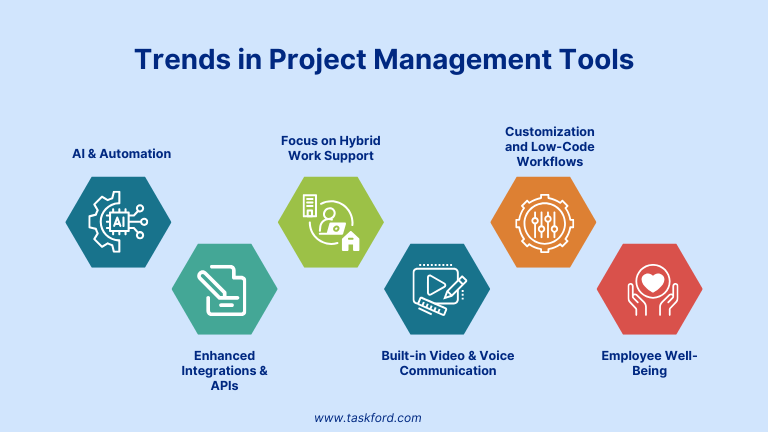
- AI and Automation: AI is streamlining tasks like scheduling and resource allocation, with the AI project management market projected to grow from $3.08 billion in 2024 to $3.58 billion in 2025 (16.3% CAGR).
- Enhanced Integrations and APIs: Seamless integration with communication, CRM, and development platforms is becoming standard to create unified workflows.
- Focus on Hybrid Work Support: Features that facilitate switching between remote and office work, including offline access and location-aware task assignments.
- Built-in Video and Voice Communication: To reduce app switching, many PM tools now embed video calls and voice chats, enhancing immediacy and clarity in remote discussions.
- Customization and Low-Code Workflows: More tools offer drag-and-drop workflow builders and customizable automation, empowering teams without coding skills to tailor processes.
- Employee Well-Being: Features such as workload insights, burnout alerts, and wellness check-ins are emerging to support distributed teams’ well-being.
Final Thoughts
Project management software plays a critical role in helping teams plan work, stay aligned, and deliver consistently. While some tools focus on lightweight task tracking, others provide deeper planning, resource management, and cost visibility needed for more complex projects.
The right choice depends on how your team works, the level of coordination required, and how much visibility you need across people, time, and budgets. By understanding these needs and comparing tools carefully, teams can select a platform that supports reliable delivery today and scales as work becomes more complex.
Frequently Asked Questions
Can project management software replace spreadsheets?
Yes. Project management software can replace many spreadsheet-based workflows by combining task tracking, scheduling, resource planning, time tracking, and reporting in one system. It also provides real-time updates and clearer ownership as projects change.
What is the difference between project management software and task management software?
Task management software primarily focuses on creating, assigning, and tracking individual tasks. Project management software typically provides broader tools for scheduling, dependencies, resources, budgets, time tracking, reporting, and collaboration across an entire project.
How does project management software help with resource allocation?
Project management software can show team availability, current assignments, workload, and project schedules in one place. Managers can use this information to identify capacity gaps, avoid overloading team members, and allocate resources based on upcoming work.
Is project management software useful for remote teams?
Yes. Remote teams can use project management software to centralize tasks, deadlines, files, discussions, and project updates. Shared views and real-time status updates also make it easier for team members in different locations or time zones to stay aligned.
Continue Reading
- Resource Planning Software: Top Tools to Plan Team Capacity 2026
- Best Free Gantt Chart Software for 2026
- Best Task Management Tools: What Works for Teams in 2026
Related Articles








How to Build and Manage a Product Roadmap with TaskFord




How to Build a Connected Project Timeline in TaskFord






What Are the Best Jira Alternatives for Scrum Teams?












How WBS Reveals Delivery Breakdown Before It’s Too Late



![How To Conduct a Profound Stakeholder Analysis [+ Free Template]](/marketing/blog/stakeholder-analysis.webp)







What to Look for in Scrum Tools (Beyond Kanban Boards)

![Project Management Calendar for Teams and Managers [Free Templates]](/marketing/blog/project-management-calendar.webp)


How to Define Project Deliverables: A Step-by-Step Guide



![RACI Chart in Project Management: Rules & Examples [Free Download]](/marketing/blog/raci-chart.webp)







![7 Must-Have Project Management Documents Every PO Should Know [Free Templates]](/marketing/blog/project-management-documents.webp)





![How to Create a Winning Project Plan for IT Projects [10 Steps Included]](/marketing/blog/how-to-create-a-project-plan.webp)
![Daily Standup Best Practices: Apply AI to Organize Meetings Successfully [2026 Trends]](/marketing/blog/daily-standup.webp)



![How to Create a Project Communication Plan: Step-by-Step Guide [+Free Template]](/marketing/blog/project-communication-plan.png)
![Master Project Procurement Management in 5 Steps [Download a free plan template]](/marketing/blog/project-procurement-management.webp)












Subscribe for Expert Tips
Unlock expert insights and stay ahead with TaskFord. Sign up now to receive valuable tips, strategies, and updates directly in your inbox.